How to Review External Sharing Across Microsoft 365
A Microsoft 365 external-sharing review is most effective as a repeatable operating process: define scope, observe access, prioritize decisions, remediate carefully, and preserve evidence.
Phase 1: define the review
Choose the tenant, SharePoint sites, OneDrive accounts, period, owners, and risk questions. Decide whether the review covers link-based permissions only or also direct guest access and inherited permissions.
Phase 2: inspect policy
Record organization and site sharing levels, defaults, Anyone-link expiration, guest expiration, domain restrictions, and groups permitted to share externally. Policy is the control baseline, not a list of active permissions.
Phase 3: build the observed inventory
Enumerate sources and collect item permissions with tenant-bound identifiers. Store link scope, role, target type, expiration, recipient evidence, creator or owner, and observation time. Show coverage per result set and preserve partial or failed states.
Phase 4: prioritize
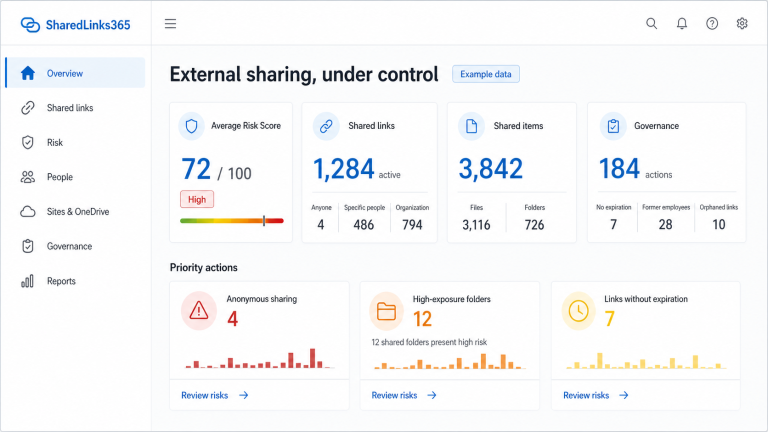
Start with understandable factors: Anyone scope, edit access, no expiration, external recipients, high-impact folders, old sharing, former employees, personal OneDrive ownership, and business-sensitive site context. Keep scoring explainable and confidence visible.
Phase 5: decide with owners
For each high-priority item, confirm business purpose and choose retain, restrict, replace, expire, reassign, revoke, or investigate. A technical signal is not the complete decision.
Phase 6: remediate with guardrails
Validate Microsoft capability, show the exact impact, require confirmation, run idempotently, record partial failures, and verify the post-change state. Revocation and recreation may change a URL and interrupt users.
Phase 7: report and repeat
Summarize findings, decisions, remaining unknowns, coverage, and trends. Schedule recurring reviews and compare current observations with prior evidence rather than relying on a static spreadsheet.
What should a recurring review produce?
The useful output is not only a count. Record coverage by site and OneDrive, collection failures, link and permission type, role, expiration, owner, external identity evidence, folder scope, risk factors, decision owner, and remediation status. Keep the observation time so the next review can distinguish change from stale evidence.
Use the SharePoint external-sharing audit guide for evidence design, the OneDrive checklist for personal ownership, and risk and best practices for proportional decisions.
Reviewed by the SharedLinks365 Technical Team — AGORA TECH S.r.l.