OneDrive External Sharing: What Microsoft 365 Admins Should Monitor
OneDrive external sharing combines collaboration with personal ownership. That makes lifecycle, former-employee scenarios, and business context especially important for administrators.
Understand the policy relationship
The OneDrive organization-level sharing setting cannot be more permissive than SharePoint. Review both settings, along with default link type, link permission, Anyone-link expiration, guest controls, and domain restrictions.
Monitor active sharing—not only policy
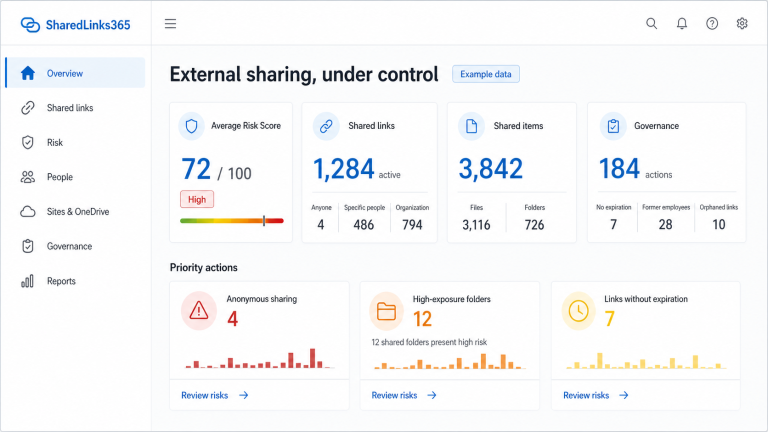
Policy defines what can be created. An operational review needs observed links and permissions across OneDrive accounts. Track scope, role, expiration, recipients, item type, owner, creator, age, and last-observed state.
Pay attention to personal ownership
OneDrive is associated with an individual account, even when files have become operationally important to a team. Ask whether externally shared content still has a valid business owner and whether it belongs in a SharePoint site instead.
Review folders carefully
A shared OneDrive folder can continue changing. Capture folder status and potential item exposure, but avoid equating size with sensitivity. Content classification and business context remain separate inputs.
Include employee lifecycle events
When a user is disabled or deleted, review their OneDrive ownership and active sharing. Retention, access delegation, and link behavior depend on tenant configuration and the offboarding process; do not assume all links automatically disappear.
Suggested monitoring views
- Anyone links and edit links.
- Links without expiration.
- High-impact folders.
- External recipients and unexpected domains.
- Deleted or disabled creators.
- Old or stale permissions.
- Coverage and last successful observation.
Can administrators audit OneDrive sharing from policy alone?
No. The SharePoint admin center establishes organization-level and OneDrive sharing limits, but policy does not enumerate every active link or permission. Administrators still need current item-level evidence, ownership context, and a declared collection scope.
OneDrive cannot be configured to be more permissive than SharePoint at organization level. Review personal ownership and lifecycle separately from team-site ownership, then connect findings to the guide on shared links after an employee leaves and the workflow for externally shared files and folders.
Reviewed by the SharedLinks365 Technical Team — AGORA TECH S.r.l.