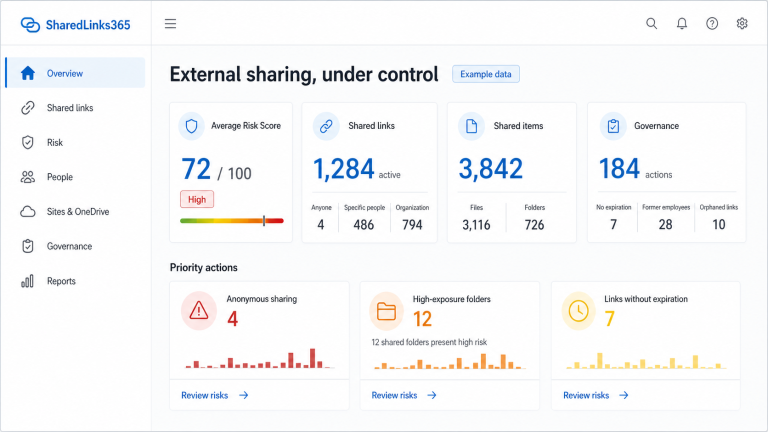
Microsoft 365 External Sharing: Risks and Best Practices
External sharing is an essential Microsoft 365 capability. Good governance preserves collaboration while making access intentional, visible, reviewable, and proportionate.
Common risk patterns
- Anyone links that can be forwarded without authentication.
- Edit access where view access would be enough.
- Links without expiration.
- Shared folders whose contents keep changing.
- Guests or recipients whose business relationship ended.
- Sharing associated with disabled or deleted users.
- Partial inventory presented as complete.
Use restrictive defaults without blocking valid work
Set organization and site sharing levels deliberately. Choose a safe default link type and permission, require expiration for Anyone links where appropriate, and restrict external sharing to authorized groups or domains when the business model supports it. Site settings should reflect purpose: a collaboration site and a confidential internal site should not necessarily share the same posture.
Prefer authenticated access for accountable collaboration
Specific people and guest-based sharing can provide stronger identity context than Anyone links. They are not automatically risk-free: recipient lifecycle, forwarding behavior, group membership, and item inheritance still require review.
Maintain an observed inventory
Policy alone is not enough. Regularly observe sharing across sites and OneDrive accounts, capture coverage and freshness, and investigate failures. Treat unknown values as unknown.
Prioritize, then validate
Combine scope, role, expiration, recipient evidence, folder impact, age, ownership, and site context. Confirm business purpose with content owners before remediation. Record decisions and verify the resulting Microsoft permission state.
Keep controls layered
External-sharing governance complements Microsoft Purview, sensitivity labels, DLP, Defender, identity governance, Conditional Access, and the SharePoint Admin Center. No single dashboard replaces those controls.
What should drive remediation priority?
No single signal proves that a share is unsafe. Link type, authentication, edit rights, expiration, folder scope, owner status, recipient evidence, data context, and business purpose should be considered together. A high score should start a review, not silently revoke access.
Use restrictive defaults for new sharing, maintain an observed inventory for existing access, and involve owners before disruptive changes. See the SharedLinks365 explainable scoring model and the practical SharePoint audit framework.
Plan sharing and collaboration options
External sharing overview
Reviewed by the SharedLinks365 Technical Team — AGORA TECH S.r.l.