How to Find Files and Folders Shared Outside Your Organization
“Shared outside the organization” can describe anonymous links, authenticated guests, Specific people links, direct permissions, or inherited access. A reliable review separates these mechanisms instead of treating them as one flag.
Begin with known content
For a specific file or folder, open Manage Access. Review links, direct access, and inheritance. Confirm whether external people must authenticate and whether the permission applies to the item directly or comes from a parent.
Expand to site and tenant scope
For broader review, enumerate the SharePoint sites and OneDrive accounts in scope, then inspect document libraries and relevant permissions. Record successful, failed, and excluded sources. Microsoft Graph permissions can provide link scope and granted identities, but recipient detail and behavior vary by link type and platform state.
Separate files from folders
A single-file share has a bounded target. A shared folder can expose existing children and may affect content added later. Capture item type and, where reliable, a count or tier of potentially exposed items. Treat count as impact context—not sensitivity classification.
Identify external identity evidence
- Anonymous access through Anyone links.
- Guests represented in Microsoft Entra ID.
- Specific people invited to the item.
- Direct external permissions.
- Inherited permissions from a shared parent.
Do not infer “internal” solely from a display name or incomplete identity. Store the evidence and its coverage state.
Create a review queue
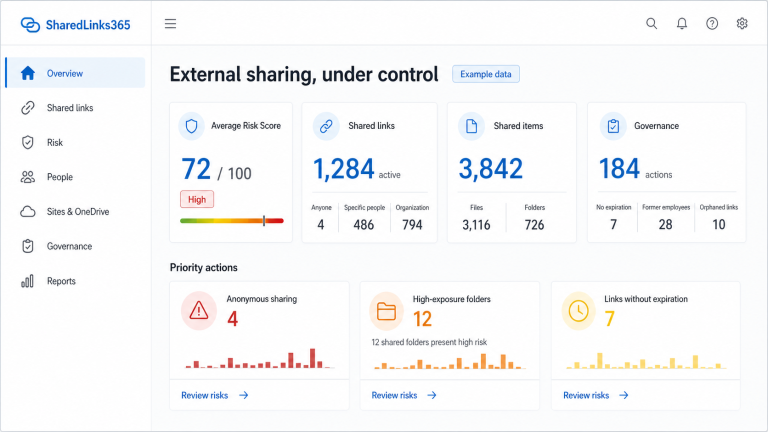
Prioritize anonymous access, edit permissions, no expiration, broad folder exposure, unexpected domains, personal OneDrive ownership, former employees, and old links without a confirmed business owner.
Why folders need separate treatment
A shared folder can expose multiple existing items and may make later additions available through the same permission path. The practical question is not only “is this folder shared?” but also which principal or link grants access, whether child items inherit that access, and whether business owners understand the continuing scope.
Record folder depth, observed item count, link type, role, expiration, owner, and inheritance evidence without treating item count as a sensitivity score. Pair this review with the OneDrive external-sharing checklist and the risk and best-practice guide.
Reviewed by the SharedLinks365 Technical Team — AGORA TECH S.r.l.