SharePoint External Sharing Audit: A Practical Guide
A useful SharePoint external-sharing audit does more than export guest users. It connects policy, sites, permissions, ownership, expiration, evidence quality, and follow-up decisions.
Define scope and evidence date
Record the tenants, sites, OneDrive accounts, libraries, and time window included. Identify exclusions and failed scans. An audit that cannot explain its coverage should not present absence of findings as proof of control.
Review controls before individual shares
- Organization-level external-sharing level.
- OneDrive sharing level.
- Site-level exceptions.
- Default link type and permission.
- Anyone-link expiration.
- Guest expiration and reauthentication.
- Domain restrictions and security-group restrictions.
These settings define guardrails. They do not replace item-level review.
Build a normalized inventory
For each observed link or permission, retain tenant, site, drive, item, resource type, link scope, role, expiration, creator or owner, recipient evidence, and last-observed time. Keep source identifiers tenant-bound and treat complete sharing URLs as secrets.
Prioritize findings
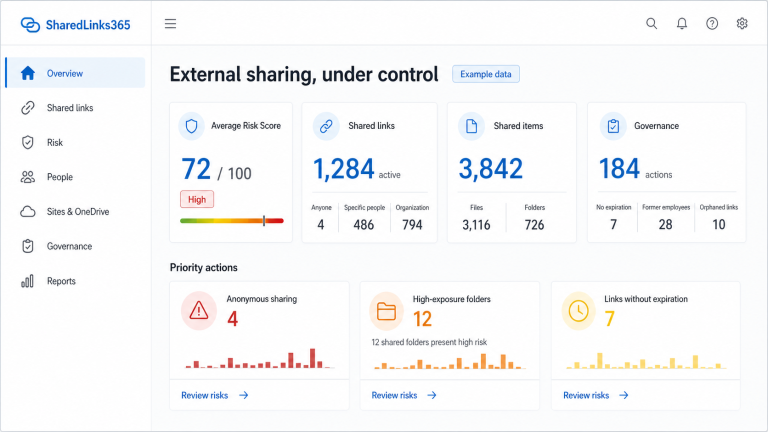
Useful review factors include Anyone scope, edit access, no expiration, external recipients, shared folders, old permissions, deleted or disabled creators, personal OneDrive ownership, and sites with higher business sensitivity. A risk score can order work, but it must remain explainable.
Decide and document
Each finding should end with a recorded decision: retain with justification, reduce access, add expiration, replace link type, reassign ownership, revoke, or investigate further. Confirm Microsoft capability before attempting changes; not every property can be updated directly.
Repeat the process
External sharing changes continuously. Establish a recurring review cadence, compare observations over time, and distinguish complete, partial, failed, and stale data.
Use three evidence layers
A reliable audit separates configured policy, current permission state, and historical activity. Policy establishes what users may create. Current state shows links, guests, direct permissions, and inherited access that can be observed now. Microsoft Purview audit records show events such as anonymous-link creation, secure-link creation, invitations, and link use, subject to the tenant’s available audit features and retention.
Document administrator roles, data sources, time range, throttling, failed sites, and licensing-dependent limitations. For collection methods, read how to find SharePoint sharing links; for a broader operating cycle, use the Microsoft 365 external-sharing review workflow.
Reviewed by the SharedLinks365 Technical Team — AGORA TECH S.r.l.